Every module, in detail
Fourteen modules on one employee record. Screens below are the real software, shown with a sample company.
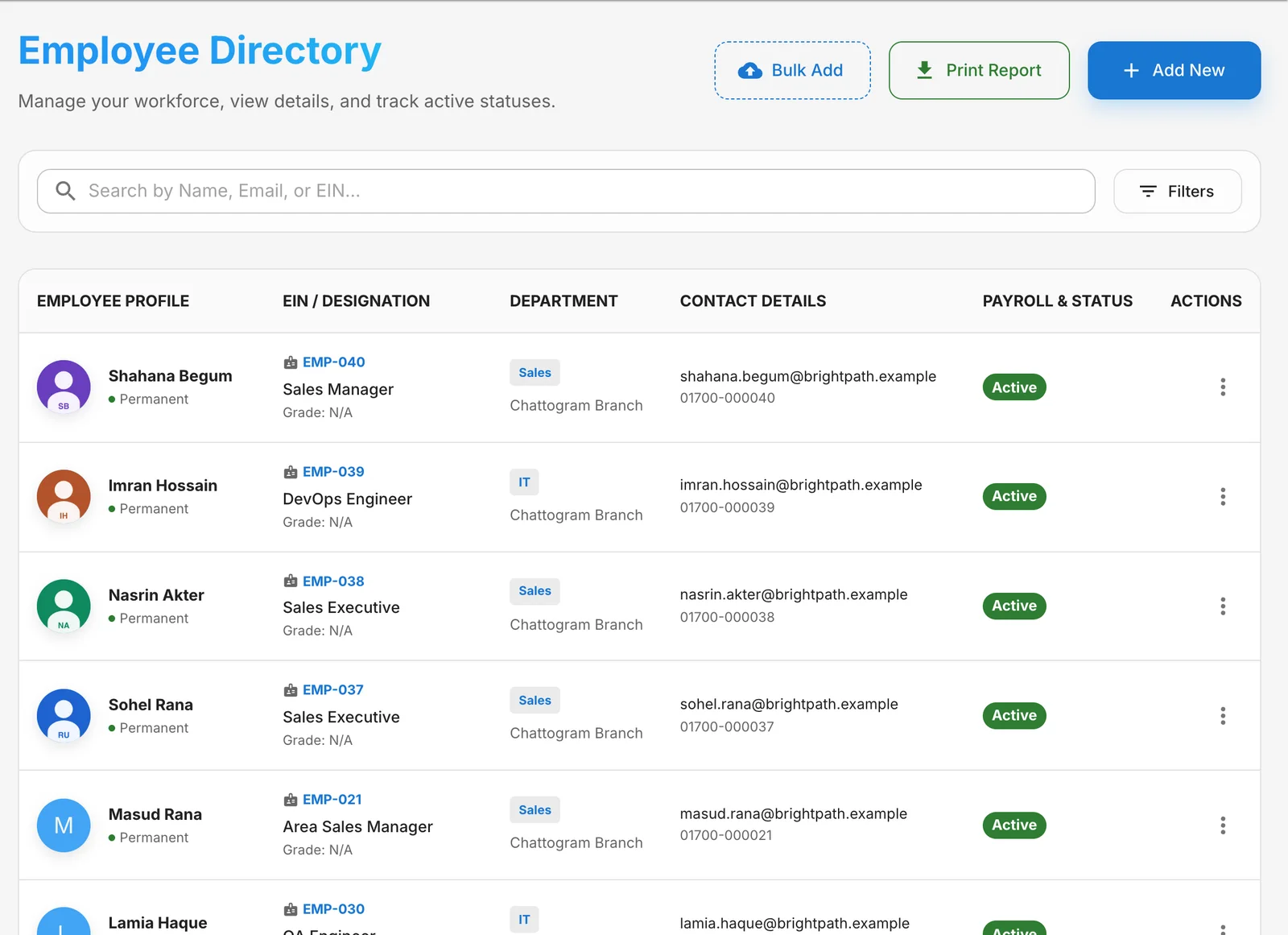
Employee management
One complete record for every person.
Keep personal, job, bank and document details together, organised by branch, department and designation — with Bangla names alongside English.
- Full profiles: personal, employment, banking and uploaded documents
- Branches, departments, designations, grades and custom fields
- Bangla and English names for people and the company
- Bulk add from a spreadsheet; print records and salary certificates
- Employment status history — confirmed, resigned, terminated and more
Attendance & shifts
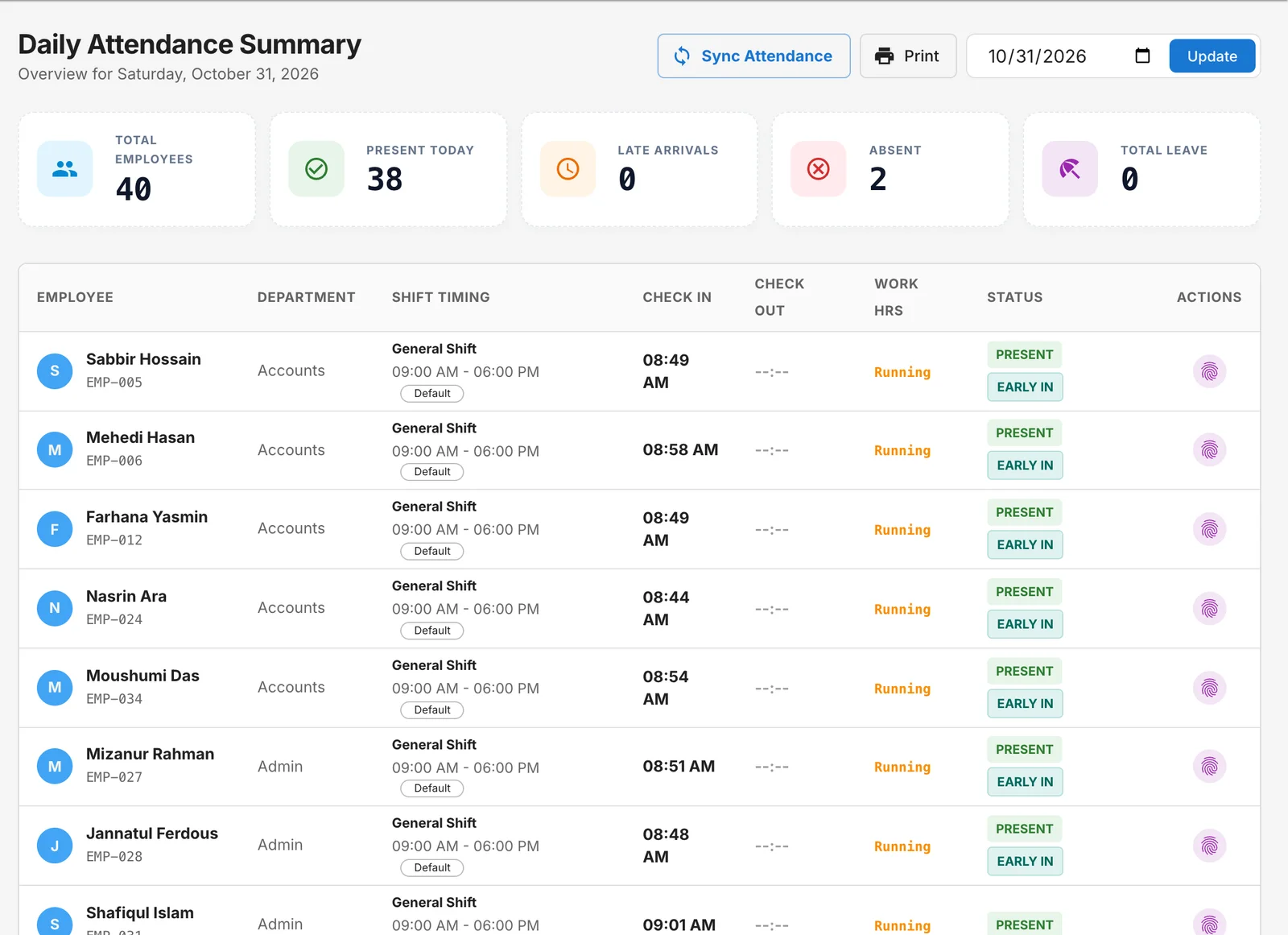
Daily attendance that calculates itself.
Every punch becomes a daily record — present, late, early exit, absent, on leave or holiday — against each person’s own shift.
- Daily summary with check-in, check-out, working hours and status
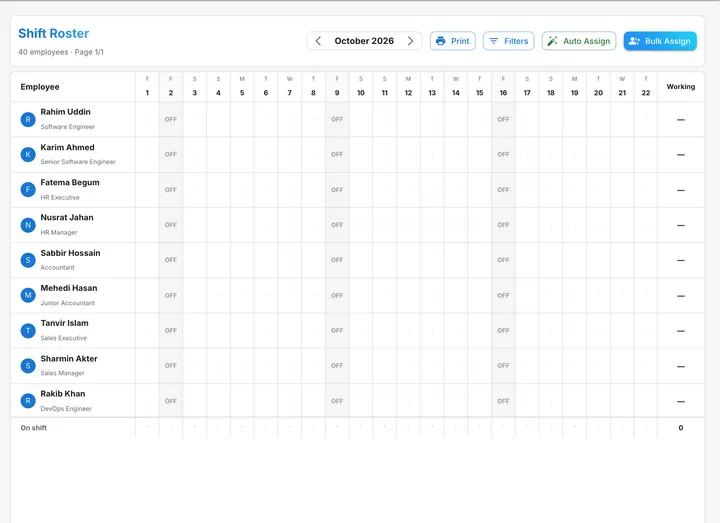
- Shift roster for the whole month, with auto-assign and bulk assign
- Grace time, weekly off days and a holiday calendar
- Manual entries and employee correction requests with approval
- Night shifts and rotating rosters
Fingerprint & face devices
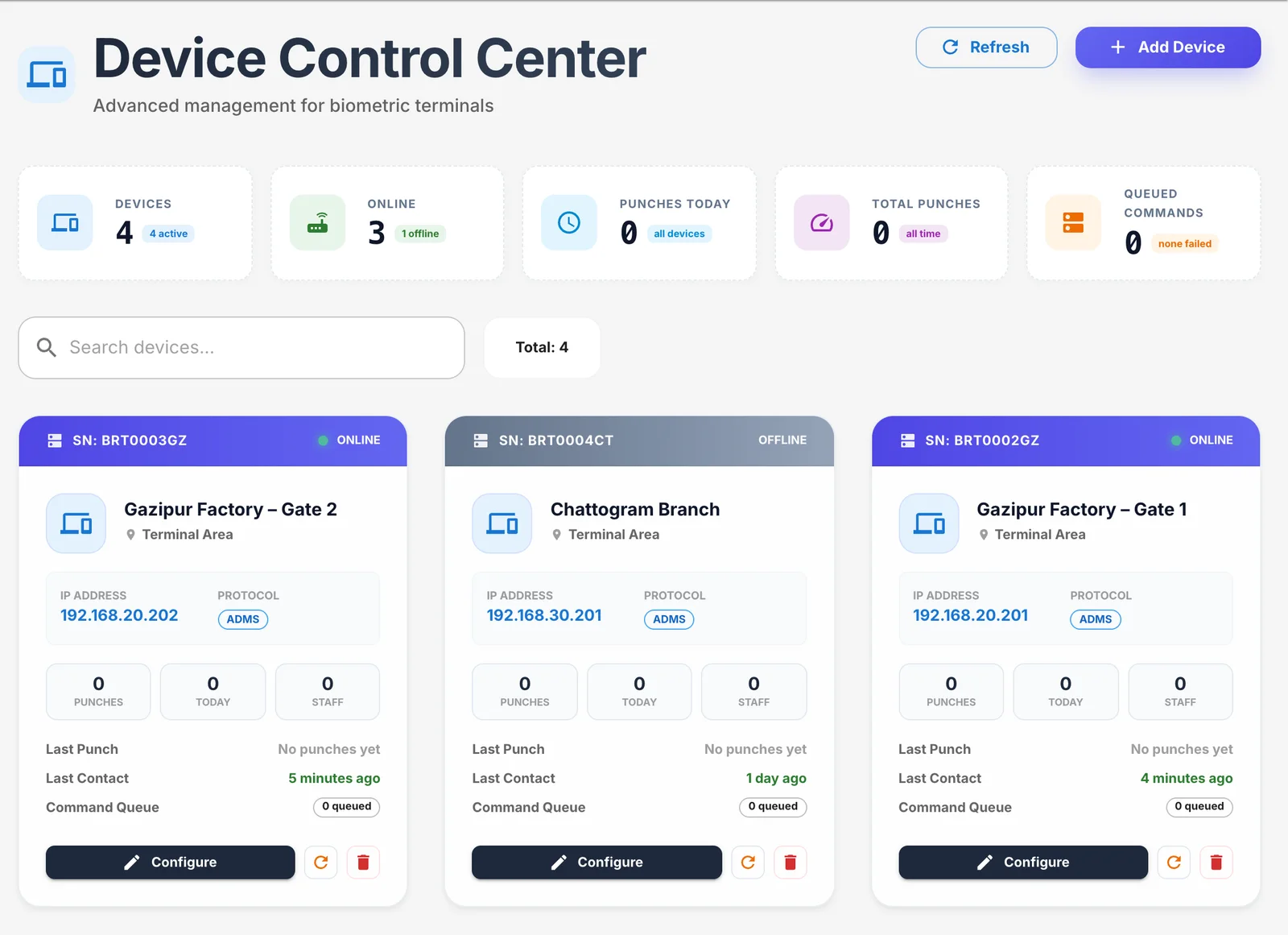
ZKTeco devices push punches in real time.
Connect ZKTeco-compatible biometric terminals over ADMS. Punches arrive as they happen — no USB sticks, no end-of-month imports.
- Real-time punch logs from every device and every branch
- Online/offline status, last contact and punches today per device
- Map device user IDs to employees once
- Send employees to a device, pull history and queue commands remotely
- Command log so you can see exactly what each device was told
Leave management
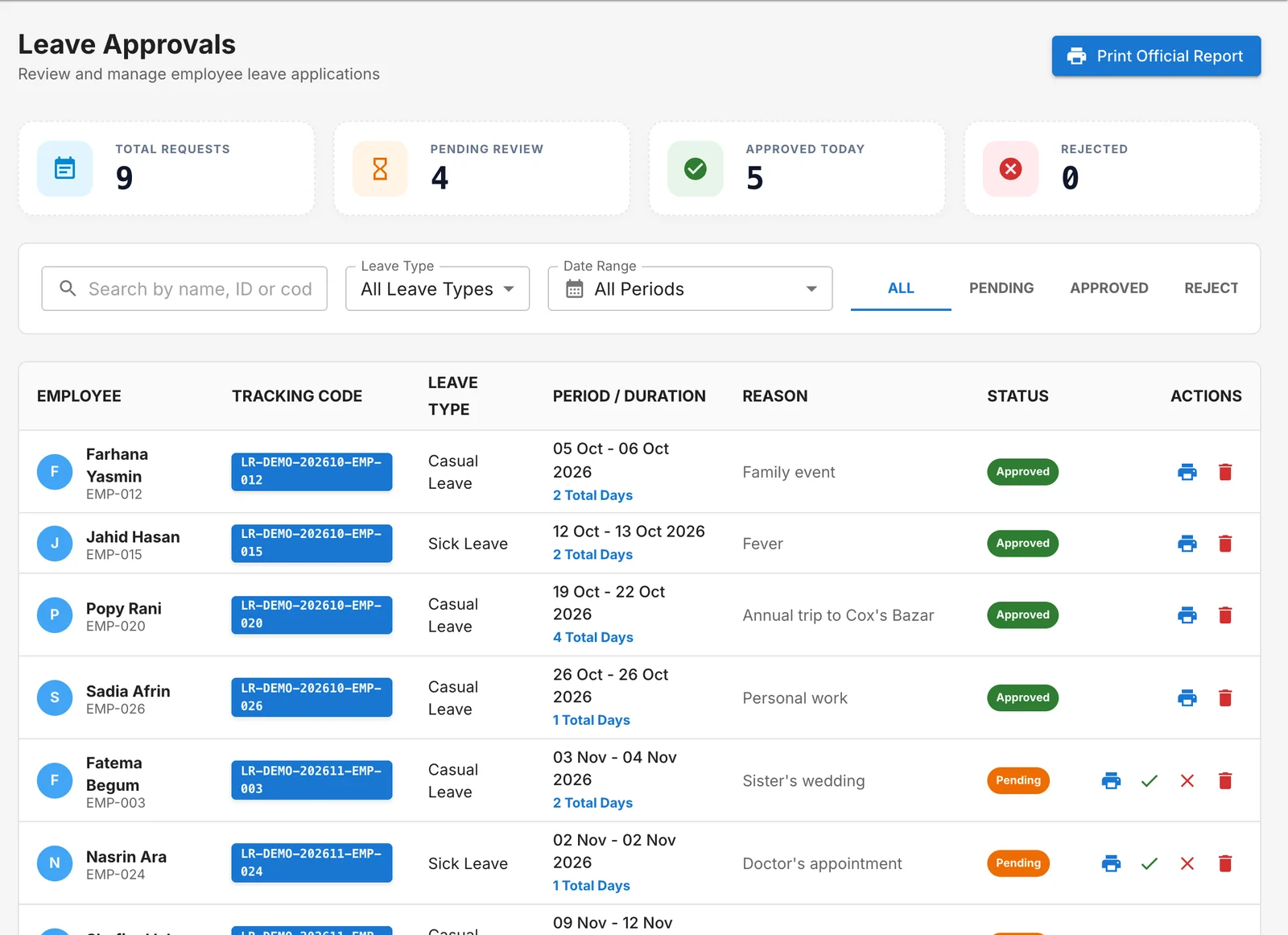
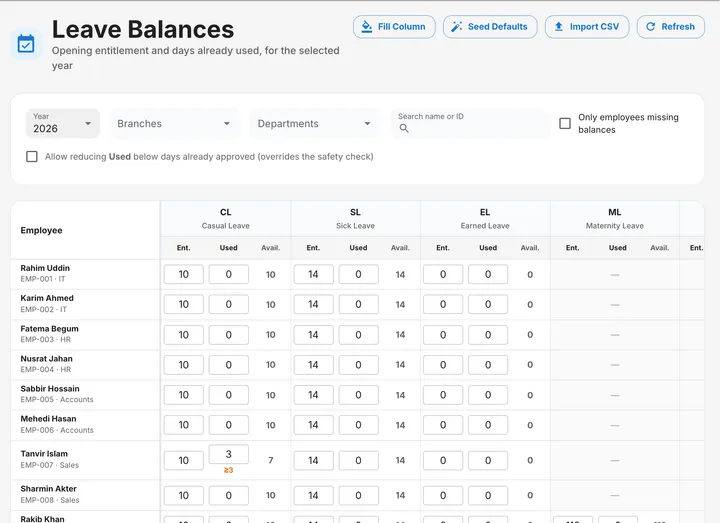
Apply, approve and track balances.
Employees apply from the web or the app; managers approve; balances update themselves and flow straight into attendance and payroll.
- Leave types with their own entitlements — casual, sick, earned, maternity and more
- Approval queue with tracking codes and printable leave forms
- Balance sheet per year, with CSV import and one-click defaults
- Approved leave shows on attendance automatically
Overtime
From request to payment, with rules.
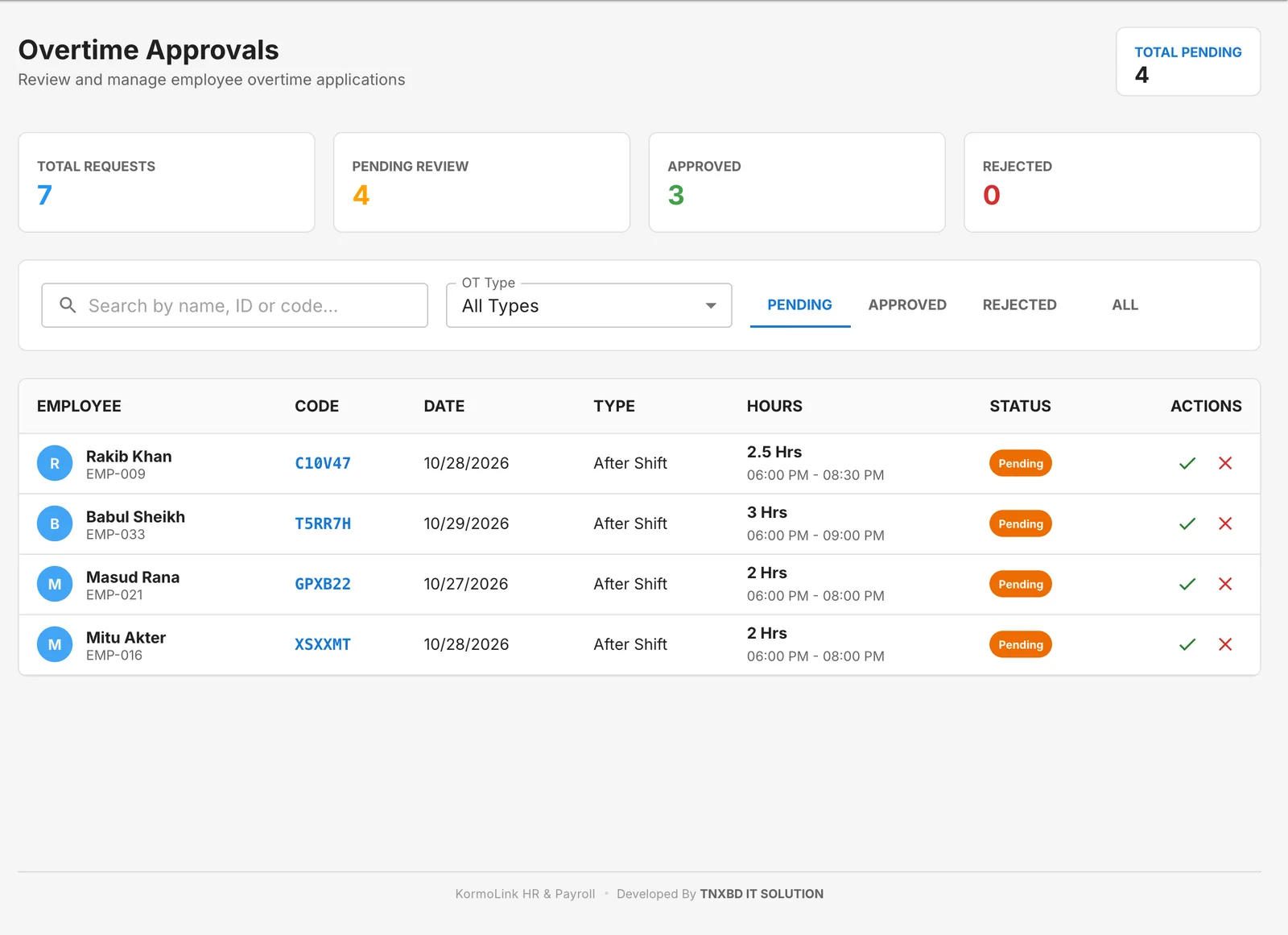
Overtime is requested, approved and paid under rules you define — before shift, after shift, off days and holidays.
- Individual, bulk and manual overtime entry
- Approval workflow with approved hours recorded
- Overtime policies and calculation rules
- Paid through payroll or as a separate overtime payment
Payroll & payslips
Accurate salaries in minutes.
Salary structures with allowances and deductions, attendance-based proration, overtime, bonuses, provident fund, tax and loan deductions — reviewed, then locked.
- Salary components: basic, house rent, medical, conveyance and your own
- Provident fund and income tax deductions
- Payroll review screen: edit, recalculate, save draft, approve and lock
- Festival and other bonuses
- Payslips in English and Bangla — print or save as PDF
Loans & salary advances
Instalments deducted automatically.
Record loans and advances, approve them, and let payroll recover each month’s instalment without anyone keeping a spreadsheet.
- Loan applications with principal, tenure and monthly instalment
- Approval and repayment tracking
- Instalments deducted in payroll
- Printable loan agreement
Reports
The numbers management asks for.
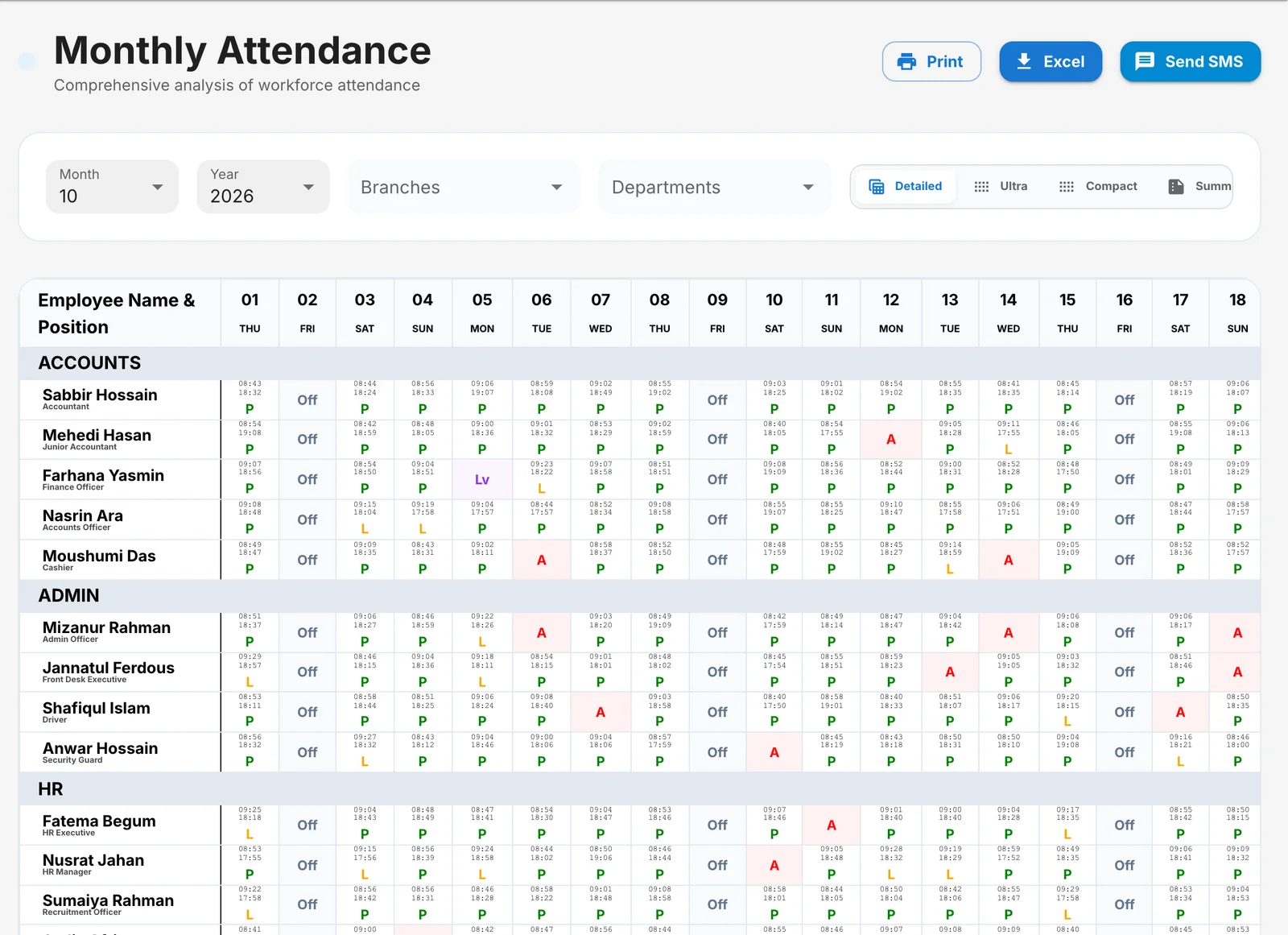
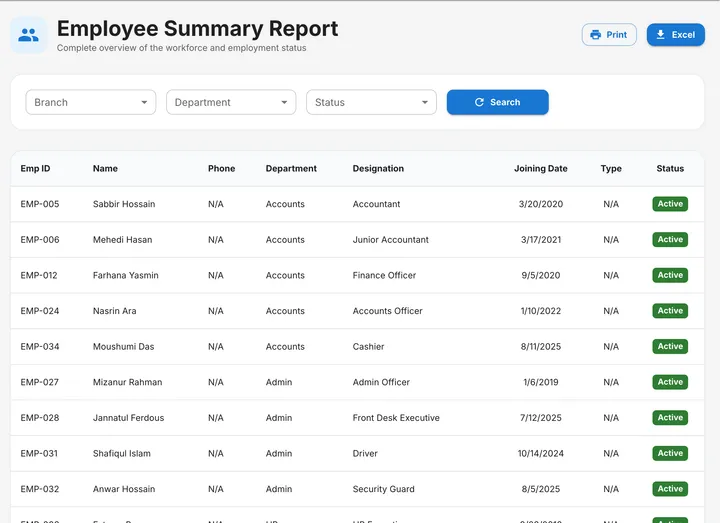
Ready-made reports for attendance, leave, overtime and the workforce — print them, export to Excel, or send attendance by SMS.
- Monthly attendance in detailed, compact and summary views
- Employee-wise attendance, late & early, absent, holiday and shift reports
- Leave and overtime reports
- Employee summary by branch, department and status
- Audit log of who changed what
Field Tracker (GPS)
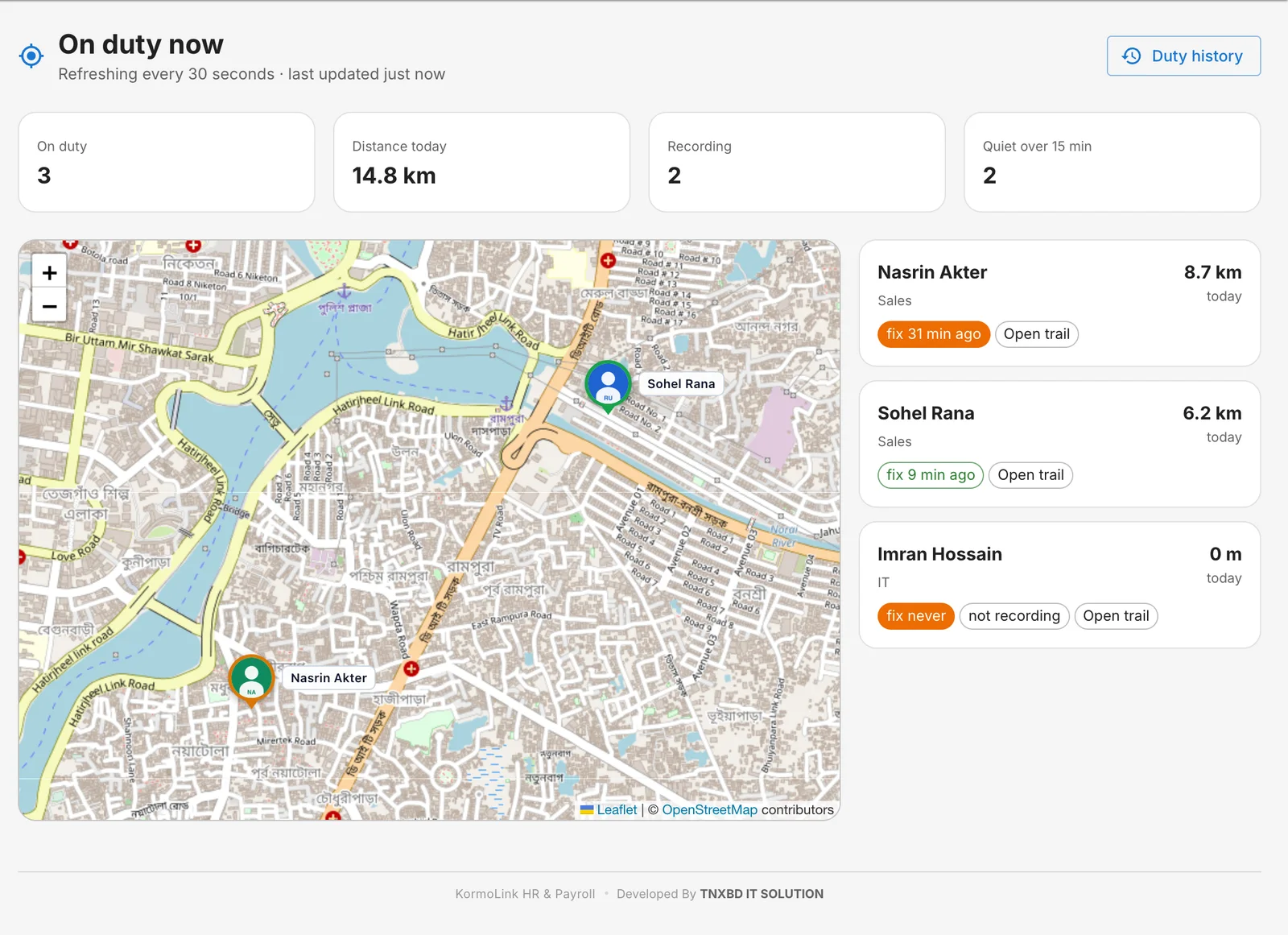
See where the field team is, on duty.
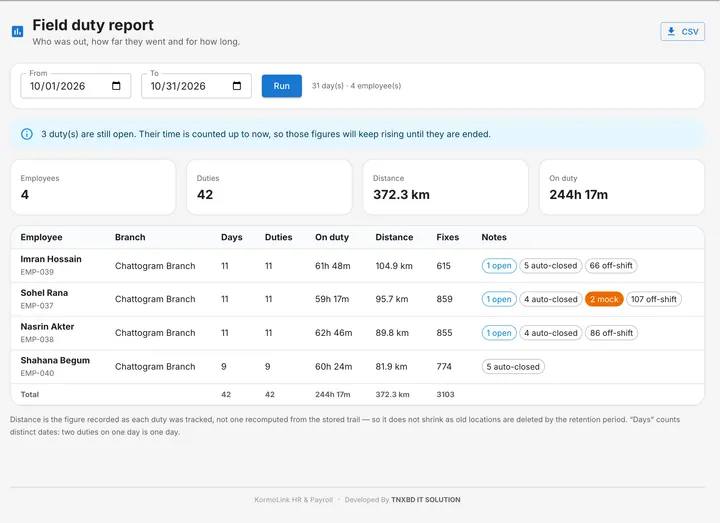
For sales and field staff: duties started from the phone record a GPS trail, so you can see who is out, where they went and how far — only while on duty.
- Live map of everyone on duty right now
- Duty history with distance, location fixes and routes
- Reports per person and per period, with CSV export
- Flags fake-GPS (mock location) readings
- Tracking only runs during a duty — never off the clock
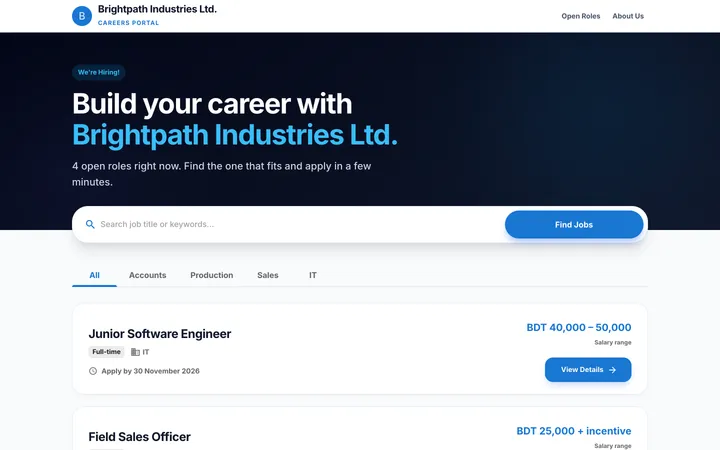
Recruitment & careers page
Post jobs, collect CVs, hire.
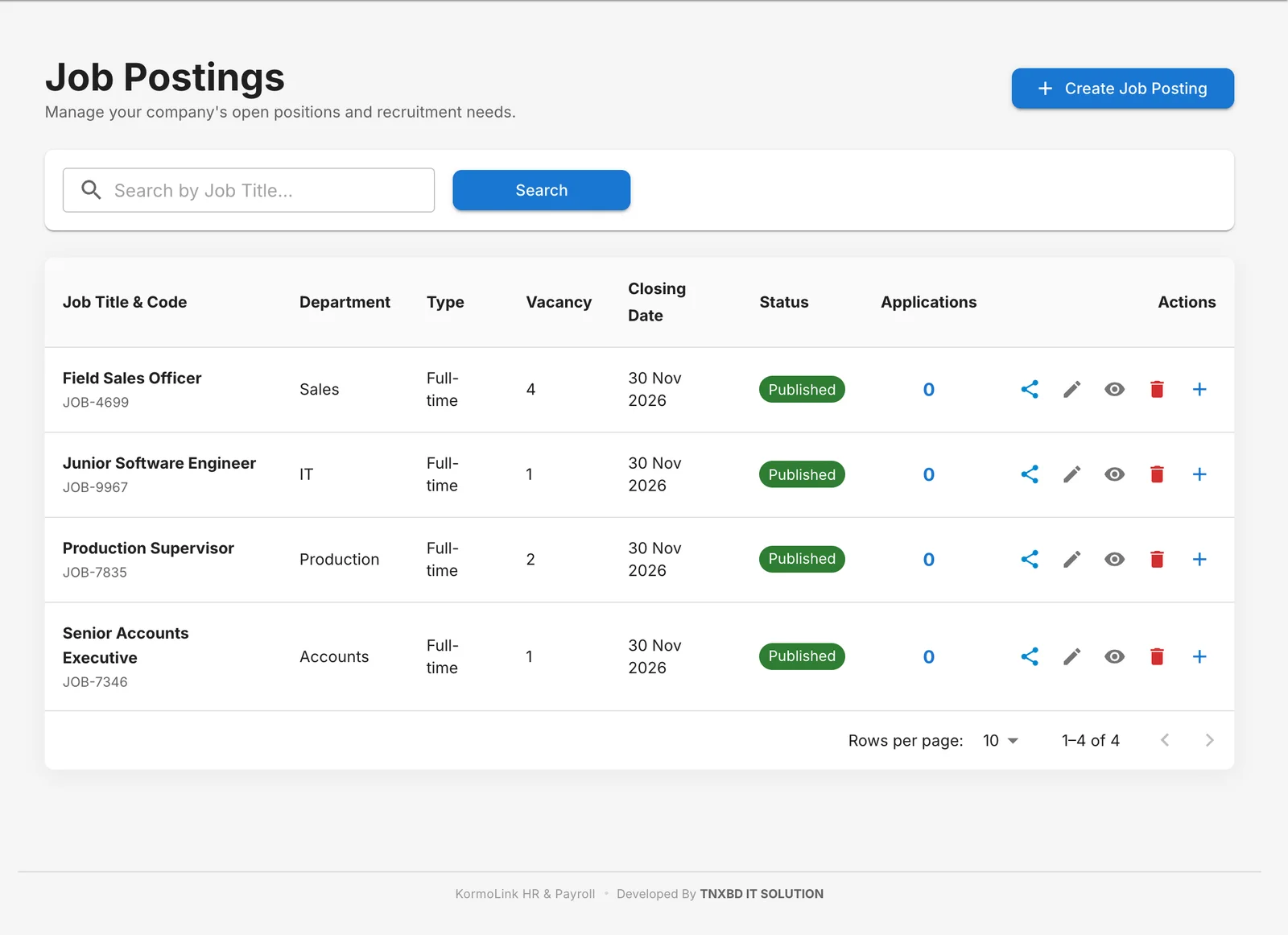
Publish openings to your own careers page, receive applications with CVs, and move candidates through to hiring.
- Job postings with department, vacancies, salary range and closing date
- A public careers page in your company’s name
- Online applications with CV upload
- Applications tracked in one list
ID cards & documents
Print-ready ID cards and letters.
Design employee ID cards in your colours and print them, or download for a card printer. Certificates and forms print on your letterhead.
- Four ID card layouts with QR verification
- Download as PDF, SVG or JPG — ready for a print shop
- Salary certificates, leave forms and loan agreements
- Authorised signatures added once, used everywhere
Asset registry
Know who has which laptop.
Register company equipment, hand it to employees, and track returns and maintenance.
- Laptops, phones, vehicles, furniture — any category
- Assign to an employee and record returns
- Maintenance history and status
Users, roles & security
Everyone sees only what they should.
Granular permissions per role, branch-limited access, two-factor sign-in and a full audit trail.
- Roles with permissions for every module and action
- Branch-scoped roles for branch HR and managers
- Two-factor authentication (authenticator app)
- Audit log of changes; sessions end when a password changes
HR Integration API
Connect your other software.
Let your ERP, accounting or access-control system read employee details with an API key — read-only, per company, and salary only if you allow it.
- Generate, revoke and delete API keys from the dashboard
- Look up one employee or page through everyone
- Salary access is a per-key choice
- Built-in API docs, plus a “Copy for AI” prompt to write the integration
Want to see a module in action?
We’ll walk you through any part of KormoLink HR with sample data, and show how it would work for your company.