Multi-branch HR & payroll
One HR system for every branch
Attendance, leave, overtime and payroll for every office, factory and field team — run from head office, in real time.
- 14modules
- Livepunches
- বাংলাpayslips
- BDT payroll
- Fri–Sat week
- Bangla names
- ZKTeco devices
The real software, not a mock-up
Click through the screens HR teams use every day — shown here with a sample company.
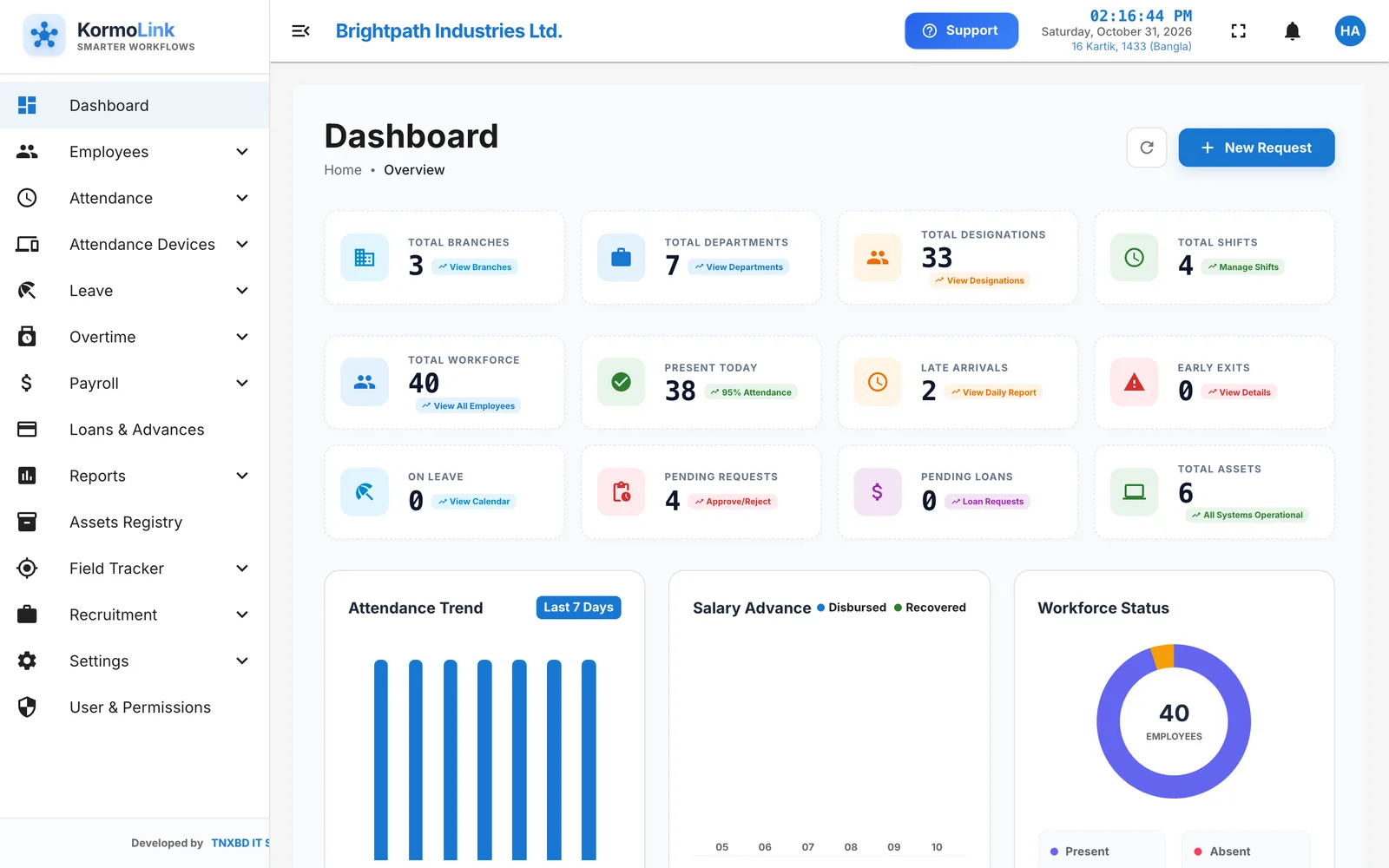
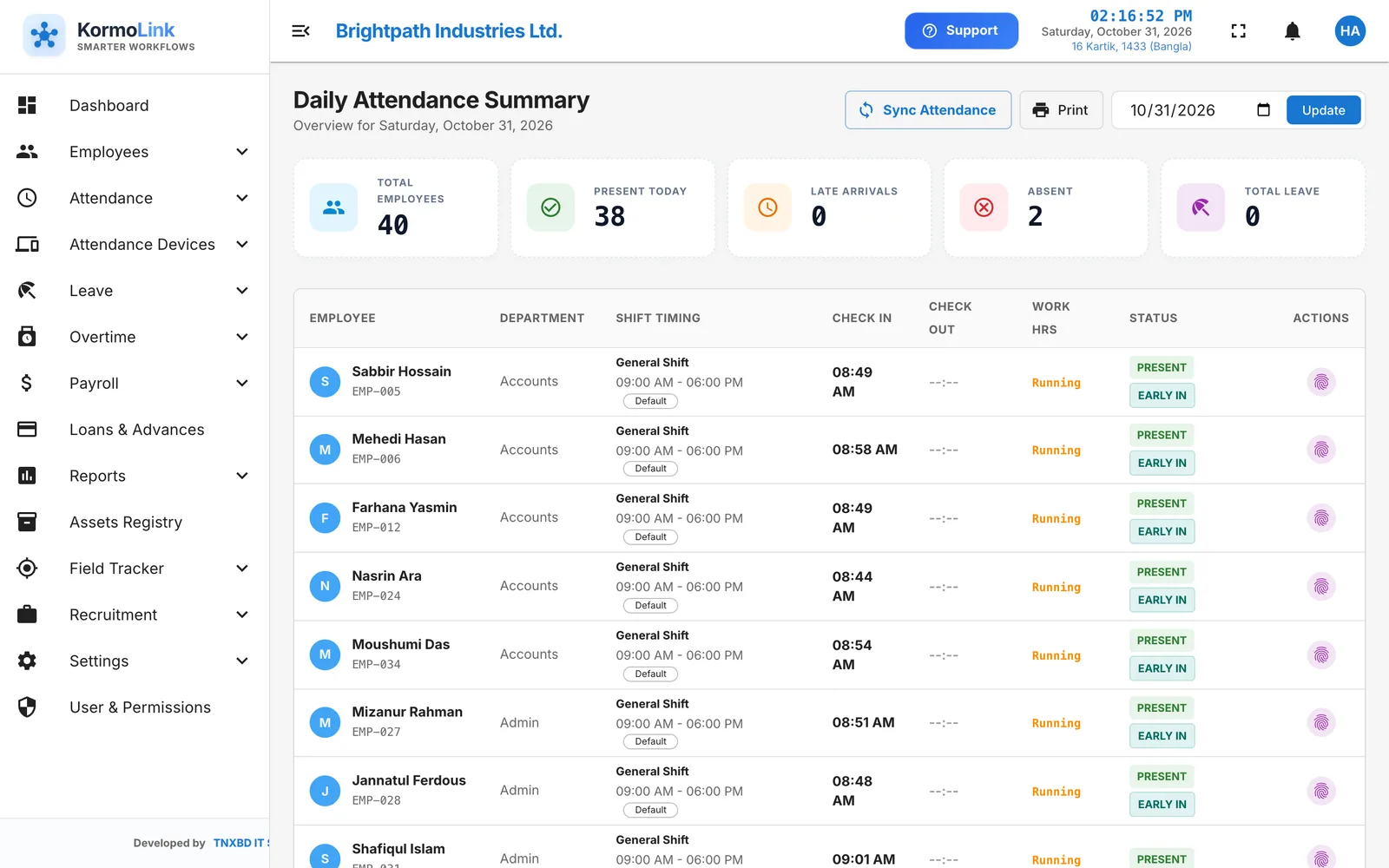
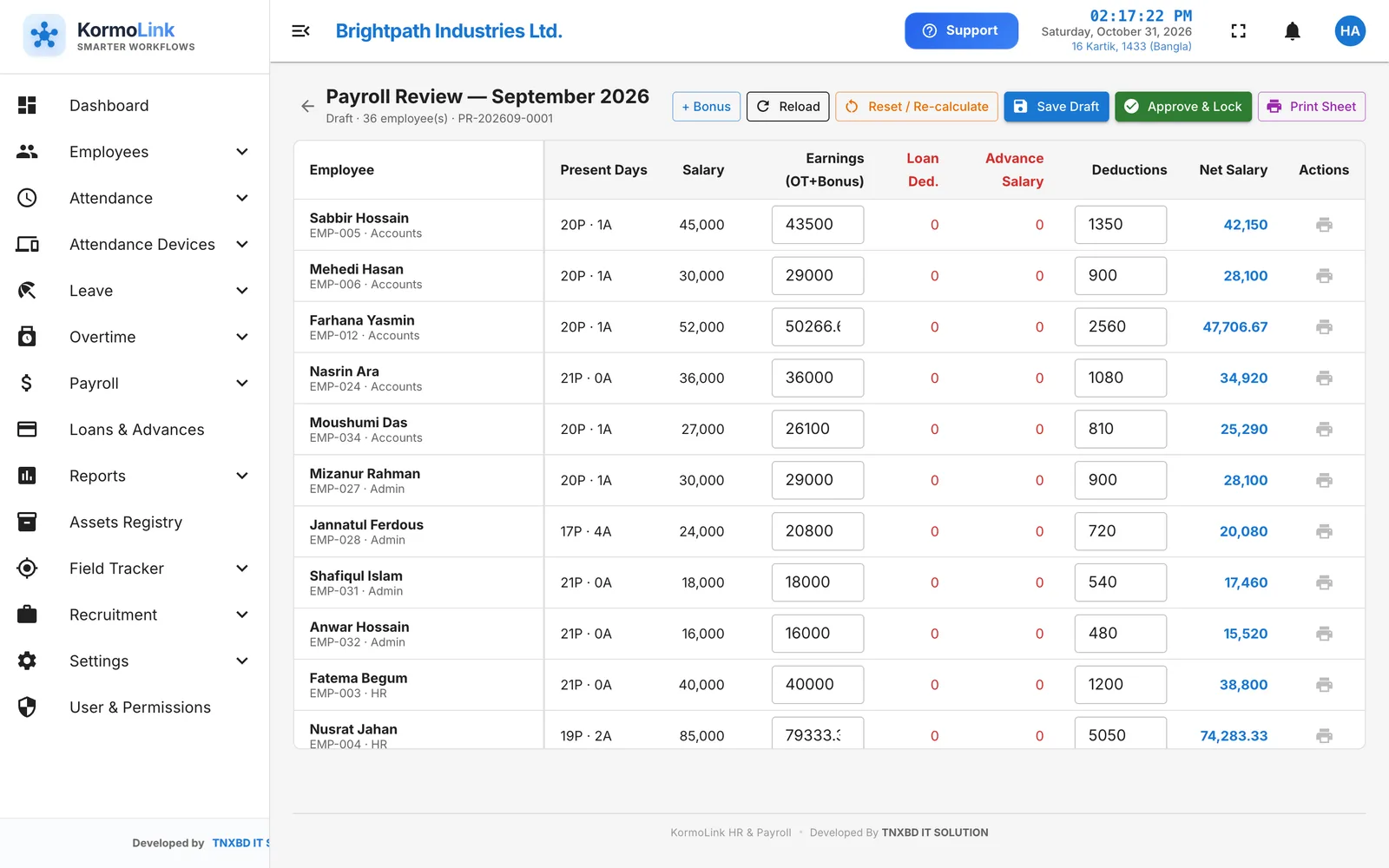
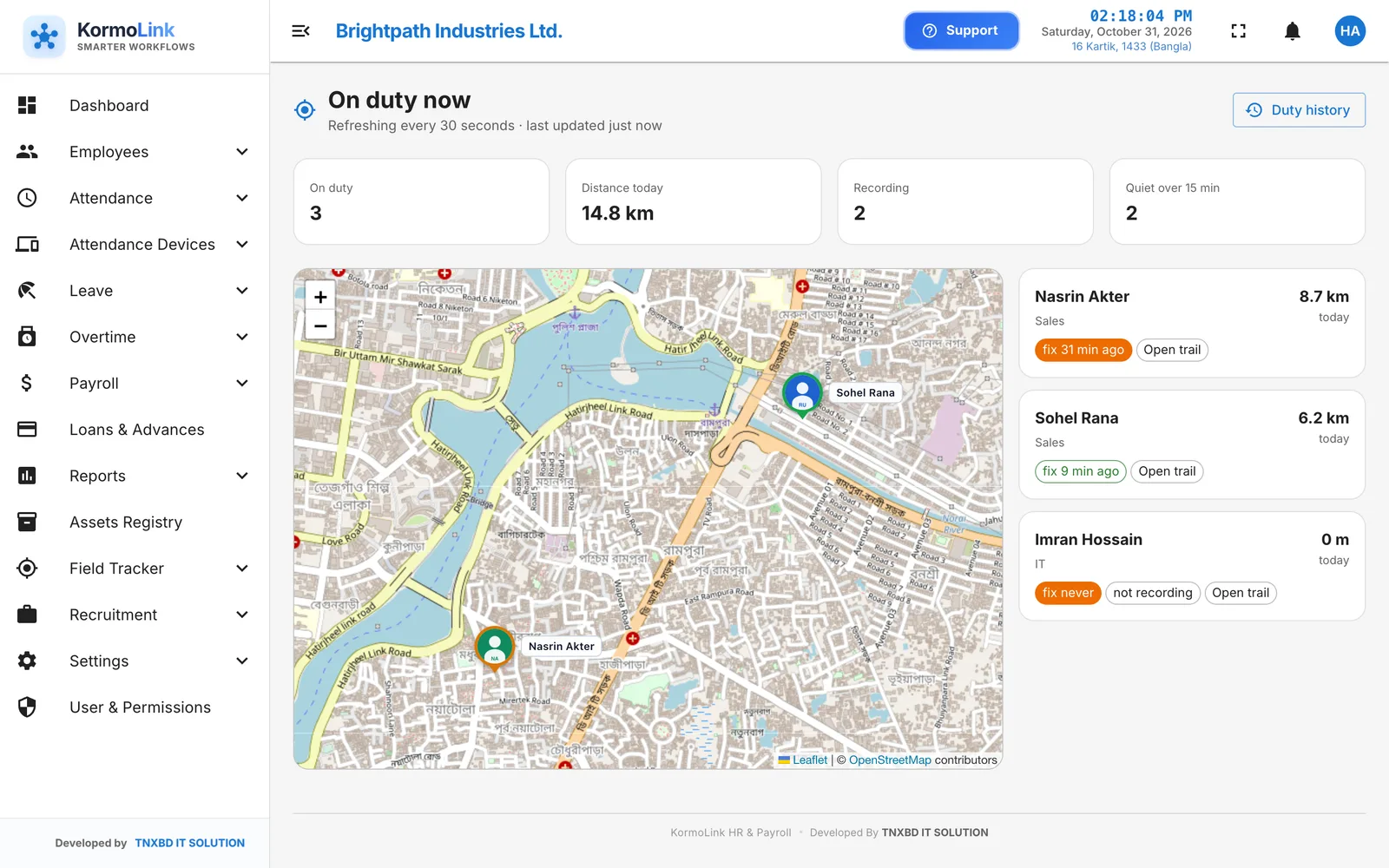
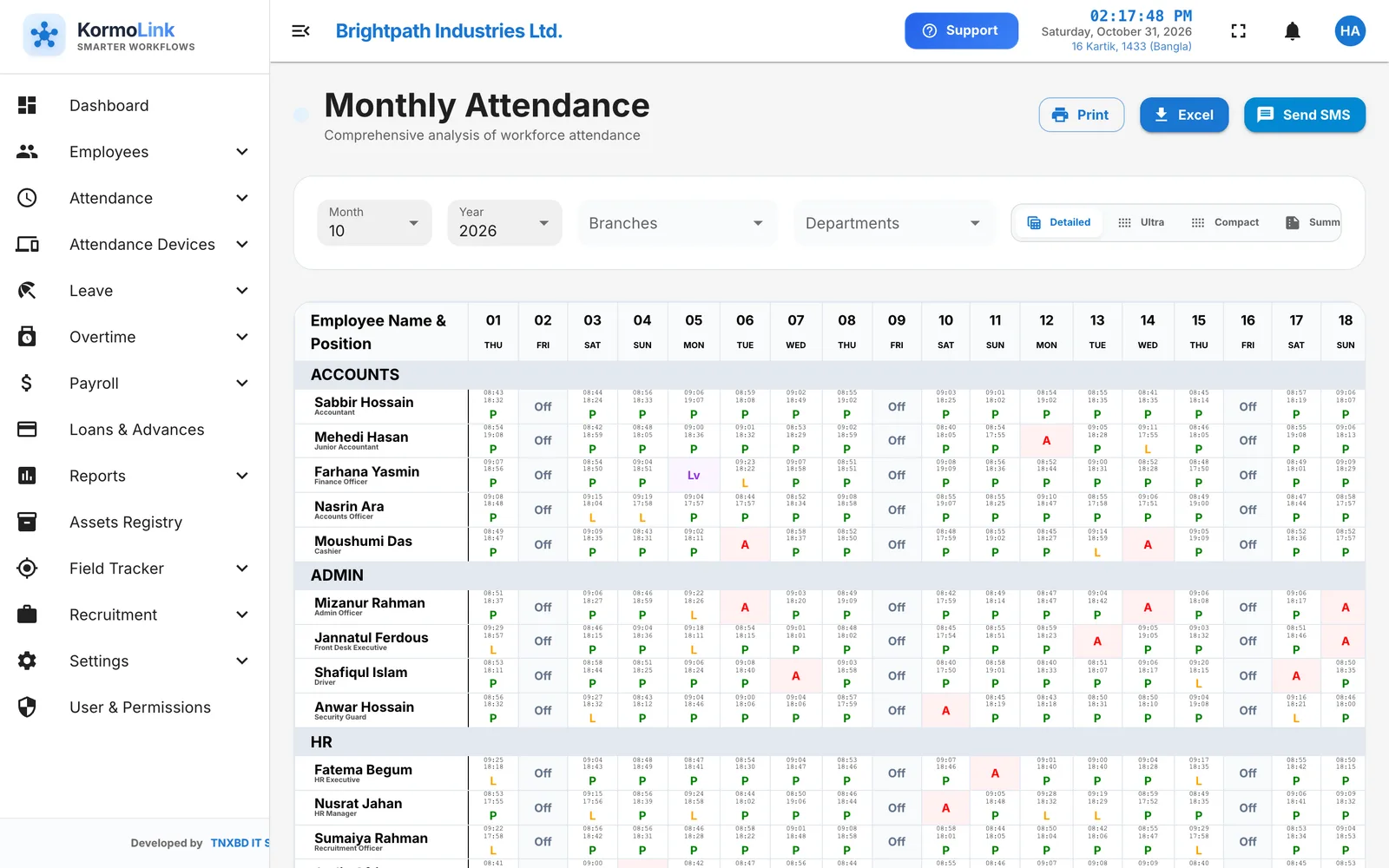
Real screens from KormoLink HR, shown with a sample company.
Everything HR runs on, connected
Fourteen modules on one employee record — so nothing is typed twice and every number agrees. Pick a category to explore.
Employee management
One complete record for every person.
Attendance & shifts
Daily attendance that calculates itself.
Fingerprint & face devices
ZKTeco devices push punches in real time.
Leave management
Apply, approve and track balances.
Overtime
From request to payment, with rules.
Payroll & payslips
Accurate salaries in minutes.
Loans & salary advances
Instalments deducted automatically.
Reports
The numbers management asks for.
Field Tracker (GPS)
See where the field team is, on duty.
Recruitment & careers page
Post jobs, collect CVs, hire.
ID cards & documents
Print-ready ID cards and letters.
Asset registry
Know who has which laptop.
Users, roles & security
Everyone sees only what they should.
HR Integration API
Connect your other software.
All on one employee record.
Every module shares the same data, so nothing is typed twice and every number agrees.
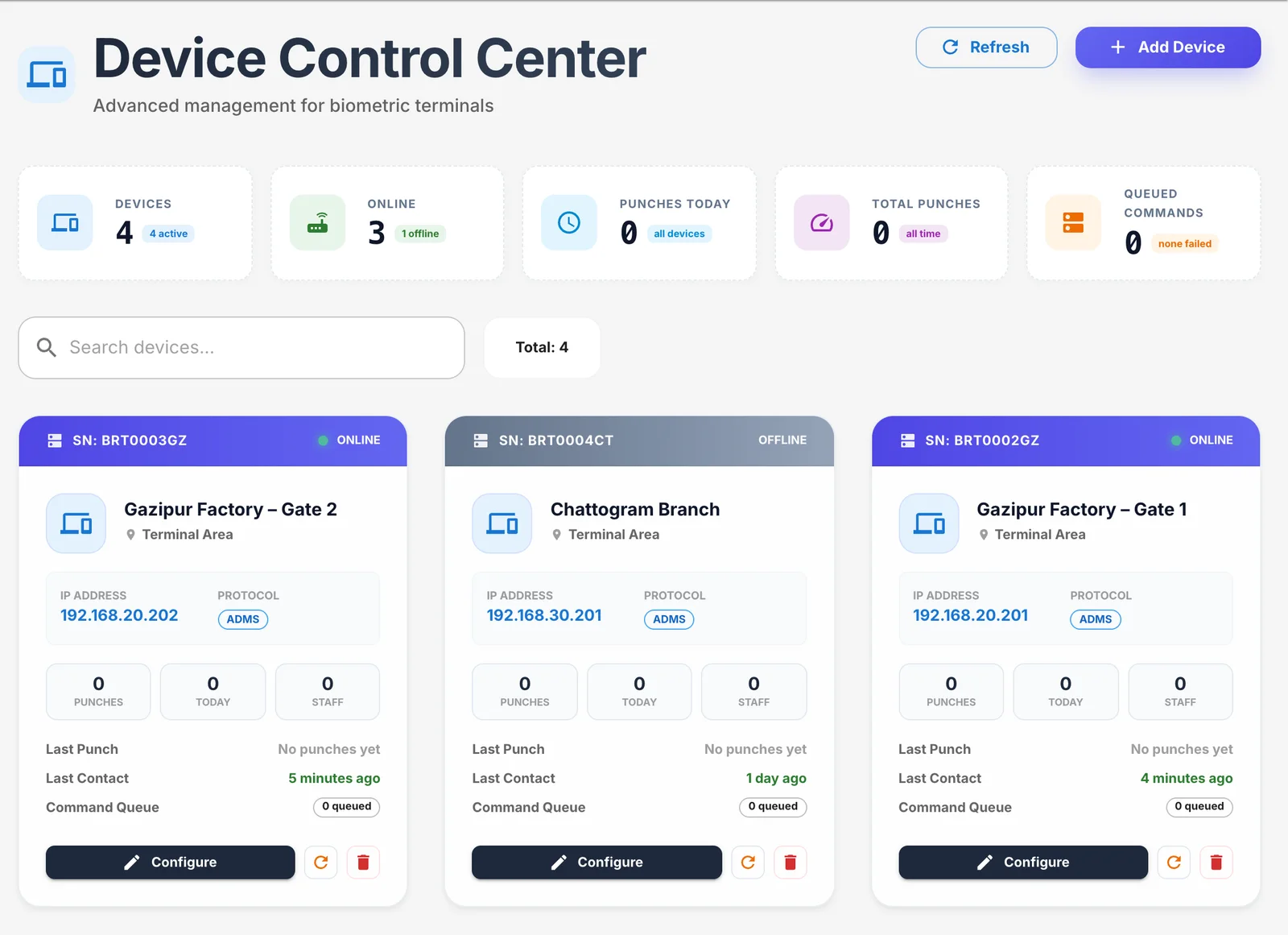
Punches arrive the moment someone touches the device
Connect ZKTeco fingerprint and face terminals at every gate and branch. KormoLink receives each punch in real time, works out late arrivals and early exits against the person’s shift, and fills the daily summary — no USB sticks, no month-end imports.
- Live device status across all branches
- Shift-aware late, early and absent marking
- Correction requests with approval
Payroll that already knows the month
Attendance, approved leave, overtime, bonuses and loan instalments are already in the system — so payroll is a review, not a rebuild. Check every line, adjust if needed, then approve and lock. Payslips print in English and Bangla.
- Allowances, provident fund and tax deductions
- Draft → review → approve & lock
- Payslips and salary certificates as PDF
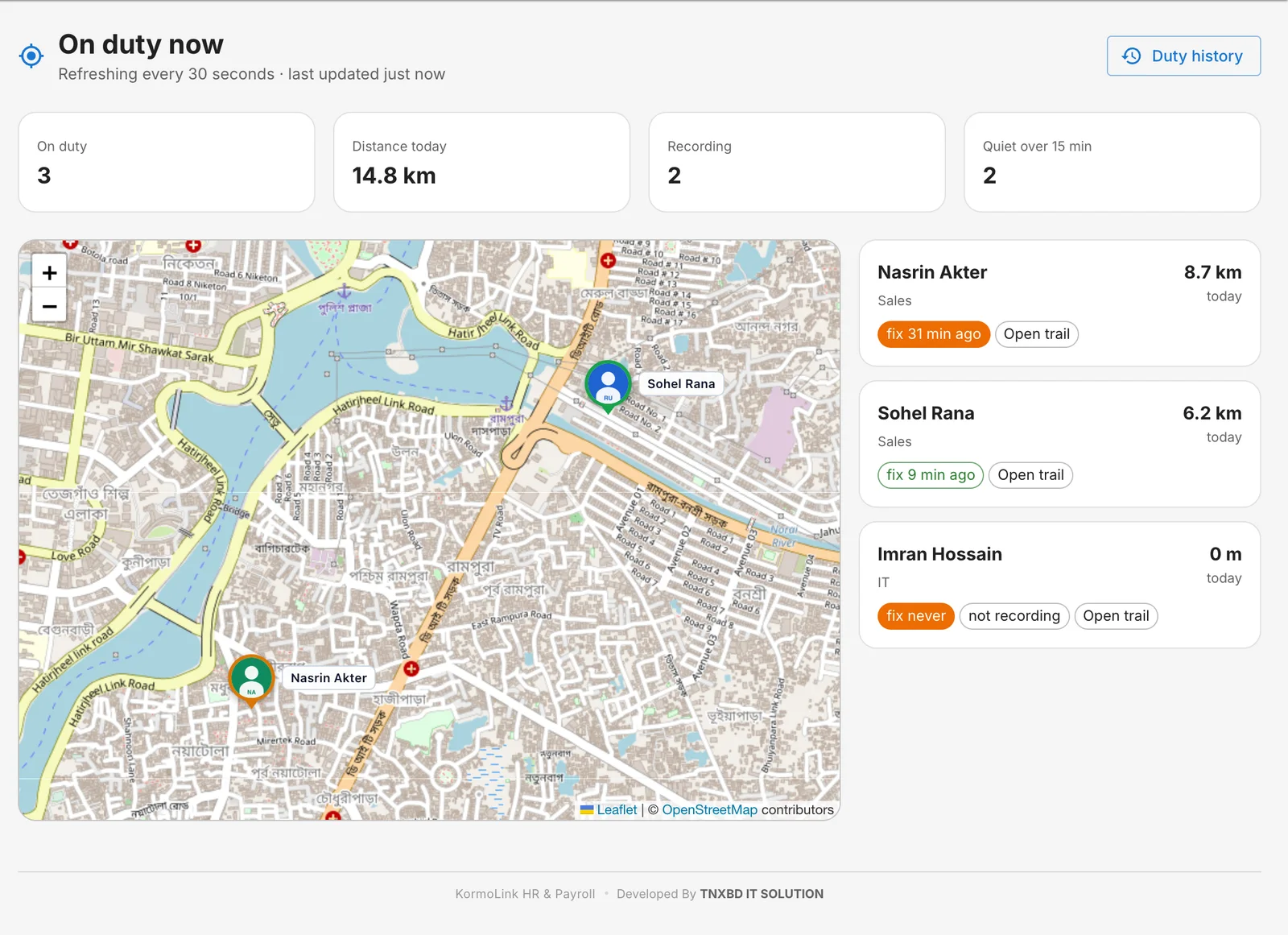
Know where your field team is — only while they’re on duty
Sales and field staff start a duty from the app. KormoLink records their route while the duty runs, shows everyone on a live map, and turns it into distance and time reports. Fake-GPS readings are flagged.
- Live map and duty history
- Distance and time per person
- No tracking off the clock
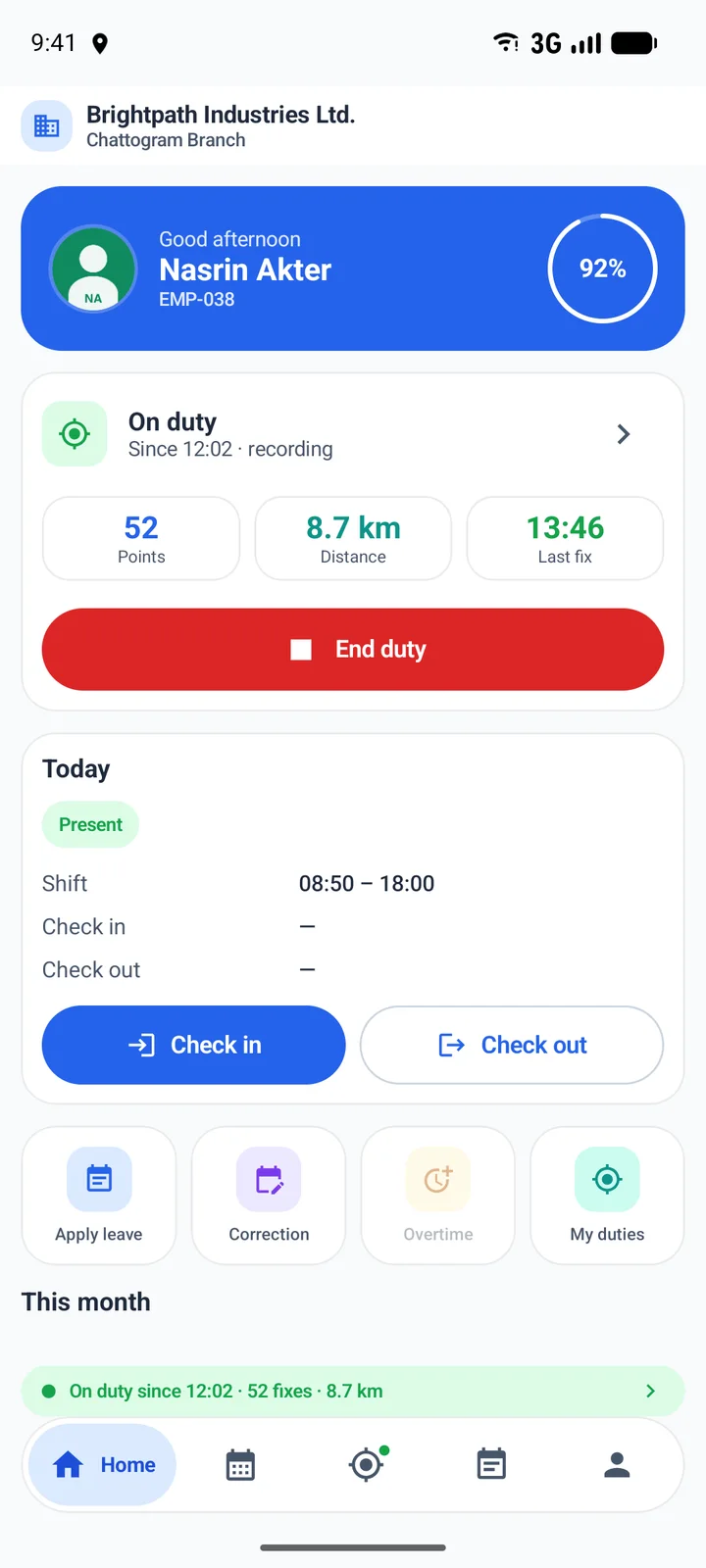
HR in every employee’s pocket
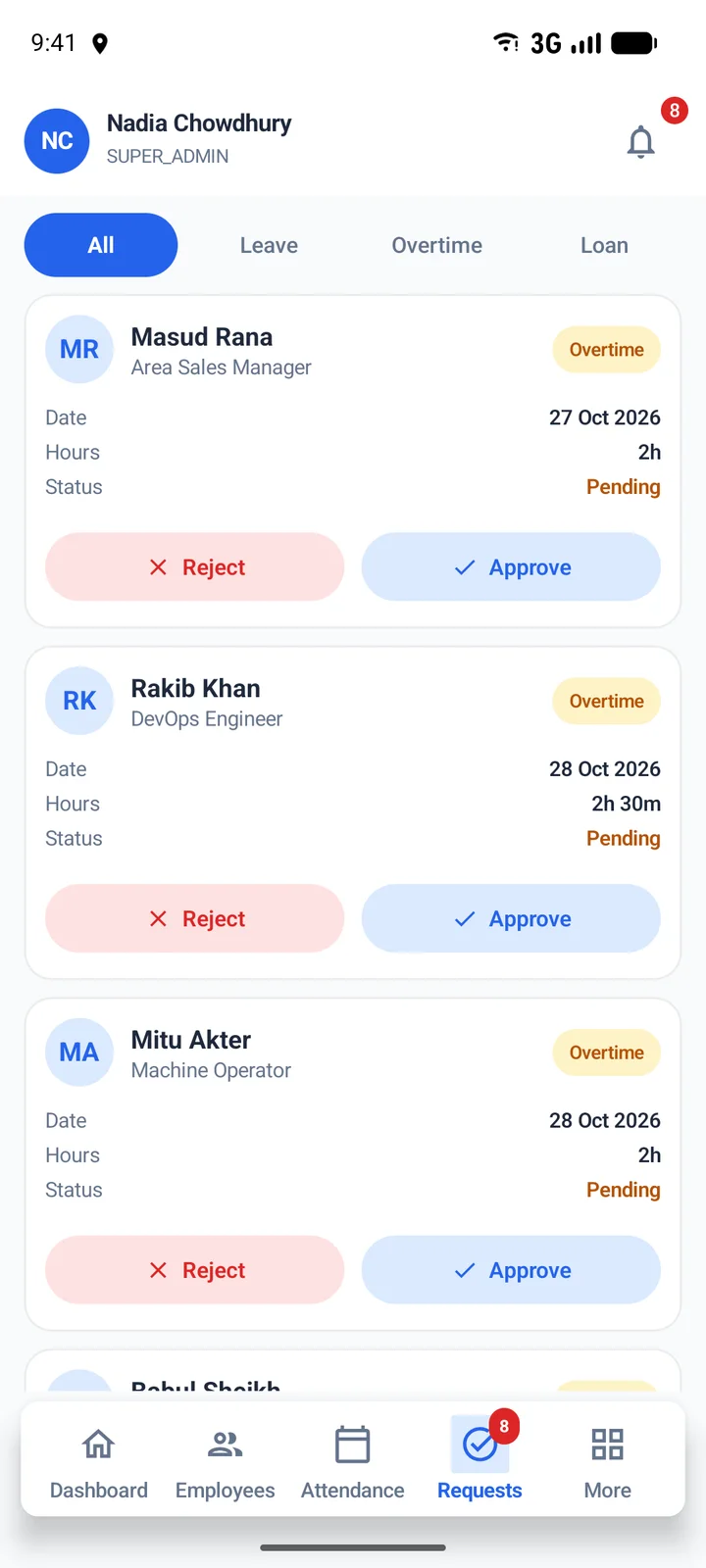
The Employee App handles check-in, attendance history, leave, overtime and field duties. Managers approve requests from the Admin App — wherever they are.
- Check in from anywhere, or only inside an allowed area
- Apply for leave and overtime; see balances and status
- Start and end field duties with GPS
- Approve leave, overtime, loans and corrections on the go
Up and running in days, not months
We set it up with you, migrate your data and train your team.
Set up your company
Branches, departments, designations, shifts, holidays and leave types.
Bring in your people
Import employees from a spreadsheet, with salary structures.
Connect devices & app
Point your ZKTeco terminals at KormoLink and give staff the app.
Run payroll
Attendance, leave, overtime and loans flow into the month’s payroll.
Payroll data deserves real protection
Salary and personal details are the most sensitive data a company holds. KormoLink treats them that way.
Role-based access
Permissions for every module and action, set per role.
Branch-limited roles
Branch HR sees their branch — and nothing else.
Two-factor sign-in
Authenticator-app codes on top of the password.
Full audit log
Who changed what, and when — kept for every module.
Questions we hear often
Is KormoLink HR made for Bangladeshi companies?
Yes. It is built in Bangladesh by TNXBD IT SOLUTION around the local working week (Friday or Friday–Saturday weekly off days), the Asia/Dhaka timezone, BDT payroll with provident fund and income tax, and Bangla names, dates and payslip labels.
Which attendance devices does it support?
ZKTeco-compatible fingerprint and face terminals that support ADMS (push) communication. Punches are sent to KormoLink in real time, and you can map device users to employees, send employees to a device and pull past logs from the dashboard.
Can employees use it from their phones?
Yes. The KormoLink Employee App lets staff check in and out (anywhere, or only inside an allowed area), see their attendance, apply for leave and overtime, request corrections, and start field duties. Managers have a separate admin app for approvals.
How long does it take to get started?
A small office can be running in a day: add your branches and departments, import employees from a spreadsheet, set salary structures and connect your devices. We help with data migration and training on larger rollouts.
Where is our data stored?
Either on a server we manage for you, or on your own server or VPS. Each company gets its own installation and database.
How secure is it?
Access is controlled by roles with granular permissions and can be limited to a branch. Users can turn on two-factor sign-in, every change is recorded in an audit log, and changing a password ends all other sessions.
Can it connect to our ERP or accounting software?
Yes. The HR Integration API lets other systems read employee details using an API key you create in the dashboard. Keys are read-only, and salary is included only if you allow it for that key.
See KormoLink HR with your own eyes
Book a free walkthrough. We’ll show you attendance, payroll and the mobile app using sample data — and answer every question.